
Disassemble that Video
Using frame-counts-galore to find properties of each frame of a video.

Hello internet, it’s Matt, again with some more forensics writing. In today’s writing I’ll be talking about a very useful tool for those who want to assess videos. I am talking about a FOSS tool called frame-counts-galore by Alexis Brignoni. I will give you the rundown of how it works and what you have to do to get the most out of it.
Without further adieu, let’s get into this.
Why I’m Doing This
The motivation is simple. I am doing this to give a shoutout to Brigs’ tool so that more people can know about it and possibly use it in their investigations.
I want to do this because, when I heard about it on his podcast the other day, I was very interested in giving it a look and testing it on my own. I did just that and I wanted to record this here. If you haven’t assessed video before, you may wonder why this is so important.
Why This Tool is Important
Imagine that you are an investigator on some big case with a very important video in it. Now imagine that that video definitely needs to be examined thoroughly for some illicit content. What would you do to charge exactly how much illicit content is within said video?
You probably would have a tough time manually counting frames. You may even need a tool to do it for you, especially if the video has an uneven frame count.
This tool fulfills that exact purpose and does it very well.
How does it work?
This tool is built in Python and has a few simple functions. In his readme file, Alexis describes its main functions as it processing the video and:
[Extracts] all frames in the video
Calculates the frames per second to include average variable frame rates
Calculates the length of the video
It performs these functions mainly using the FFMPEG library. It also prominently uses the CSV library to create a CSV file containing the properties belonging to each frame in the video. These properties include the following key properties:
Frame index
Presentation Timestamp (PTS)
Time base
Timestamp
Frame duration
Instant FPS
Key Frame
Decoded SHA 256 for pixel data
Image SHA 256 for pixel data after frame extraction is written to disk
Hash verified field
Image filename
Decoding method (Always CPU)
Like any good forensic investigation, it also logs itself with a manifest json file that includes all of the events it made.
You can initiate it by executing the following code:
python3 video_processor_cli.py -i [YOUR VIDEO FILE] -o [output-path]
Next, Ii will show you how it processes what you guve it.
Processing…
When I tested the processing, I used the following gif:
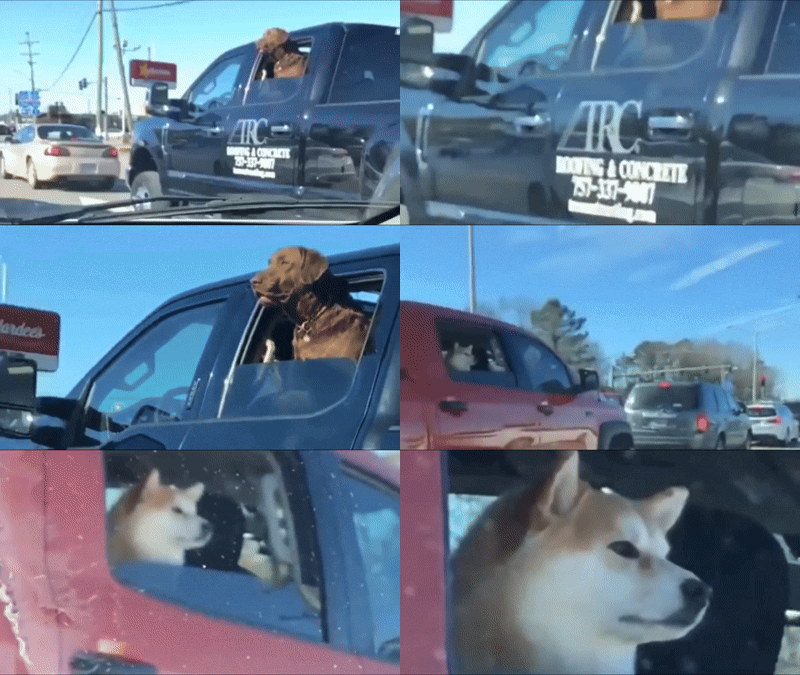
Well, it was a video in MP4 format before I converted it for easier viewing on this platform.
I fed this video to the program with the following command:
python3 video_processor_cli.py -i download.1768260970585.publer.com.mp4 -o frames
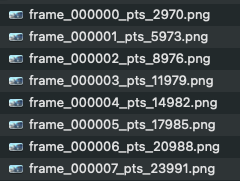
It took a few seconds to process it, which is a decent amount of time. This processing was done on Mac M3 Pro because I didn’t remember that I need to add FFMPEEG to the PATH on Windows. It made quick work of the 228 frames and added them to a folder structure that looks like this:

The file names are written in the format frame_000219_pts_660627. These two numbers represent the frame and timestamp of the picture in that order. This leads us to something very foundational for videos: that the differences between the positional timestamp of each frame leads us to conclude whether or not the video is at a fixed frame rate.
If the values of the differences (Δ) between each value are the same, it is said that the frame rate of the video is a single frame rate. If not, then it is variable frame rate.
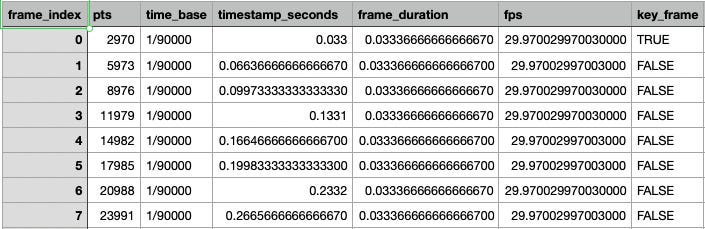
Since this is a computer which is computing the values, there is a standard margin of error. This error is fine, but the picture information spreadsheet shows that there is a standard 30 FPS frame rate in this video.
Next, the case_provenance_manifest.json file is a list of all of the properties of the use of the software. You can see what it looked like for me below.
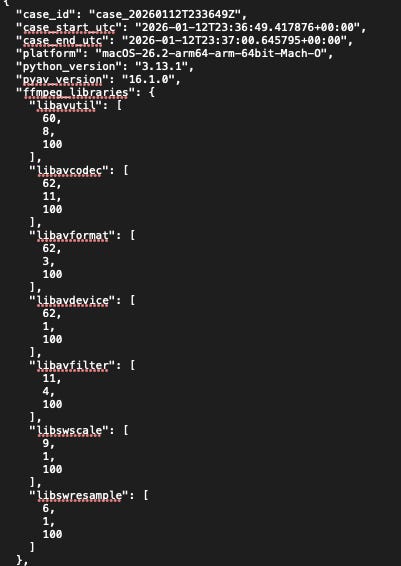
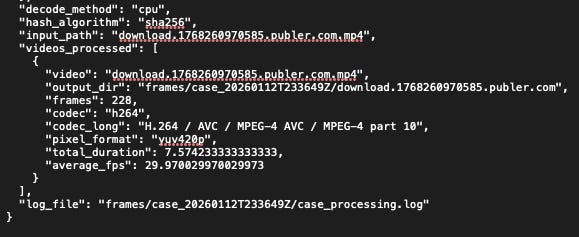
Finally the case_processing.log file is a log of all of the things that your computer did during the running of the program. In my case, the computer tool about 10 seconds to completely terminate, after yielding all artifacts of its run.

With all of this said, I’d like to discuss one more thing before we finish here.
See the video version of this post below.
Challenge
So, say that we had a challenge of charging exactly how many frames contain the first dog…. we have all that we need to calculate this. It would just take a bit of handy work or narrowing down the gif further. For the sake of what we already have, I will use the directory of single pictures.
We can easily look at the full contents of the folder and find that there are 99 images that contain the first dog in them. This is counting from the first image (frame_000000_pts_2970.png)counting up to the image labelled frame_000098_pts_297264.png. this accounts for the first 3.30 seconds of the video.

This is verified by our spreadsheet. Please note that the list is made with a 0-initiated scheme, meaning that there are 99 images counting from 0-98.
This was a relatively easy example, but I’m sure most, if not all, instances this would be used fall under this type of easy sampling. That means that most examples of the places where you’d use this software start with a ‘gut feeling’ so to say. After testing that ‘gut feeling’ the examiner would refine his or her scope of frames and find the exact amount of frames where a subject is with this software or something like it. I think this is awesome.
Conclusion
I was fascinated by a software solution that I heard about from a podcast, so I decided to write about it. Through this writing, I was able to communicate how the software works and how it mathematically calculates the properties of each frame in relation to all others. I genuinely think that this type of program is awesome. It’s perfect for forensic examiners who need some sort of software that can help them charge a certain amount to incriminating visual evidence.
I hope you enjoyed this post. If you read this far, I hope that you can say that you did!
If you enjoyed, please consider subscribing. Subscriptions ensure you see my newsletter in your inbox every time that I post. You can also pledge a small sum of money to ensure that I continue working on this newsletter. Do whatever works for you, I’ll be happy either way.
Until next time, this has been Matt. I talked about a program that helps parse video evidence. Matt OUT!